SEASON KICKOFF
Launch requests to hundreds of clients at once from templates per entity type, with last season's list carried forward as an editable draft for each client.


Product tour
BrightReturn is one product with two surfaces: a spacious, firm-branded portal your clients upload into, and a dense, keyboard-first workspace where your team confirms and files what arrives. This page walks through both, and what connects them.
01 · The client side
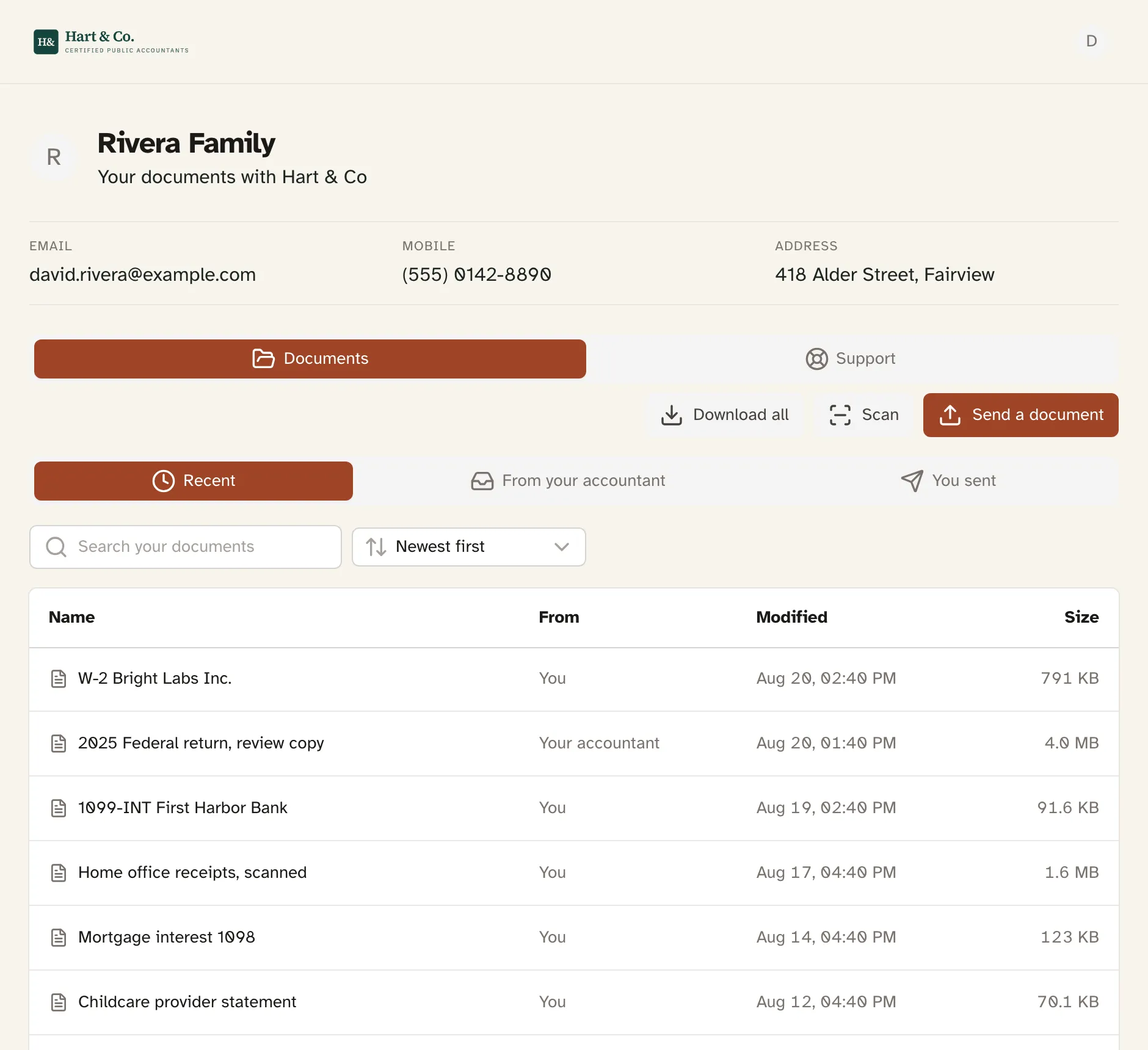
Your client's home screen is a flat, newest-first list of every document you have shared with them, with tabs for where things came from: “Recent,” “From your accountant,” “You sent.” Nobody opens a folder to find what their accountant sent, although the full folder view is one click away for clients who want it.
Sending a document never asks where it should go. One button, and the upload lands in that client's inbox folder on your side. A client with a paper W-2 photographs it page by page and it arrives as a single PDF.
02 · The firm side
Everything clients send lands in one cross-client review queue. Accept an upload and it moves straight into the request's destination folder. One keystroke, filed. Return an item with a note, or confirm a client's declaration, without leaving the keyboard.
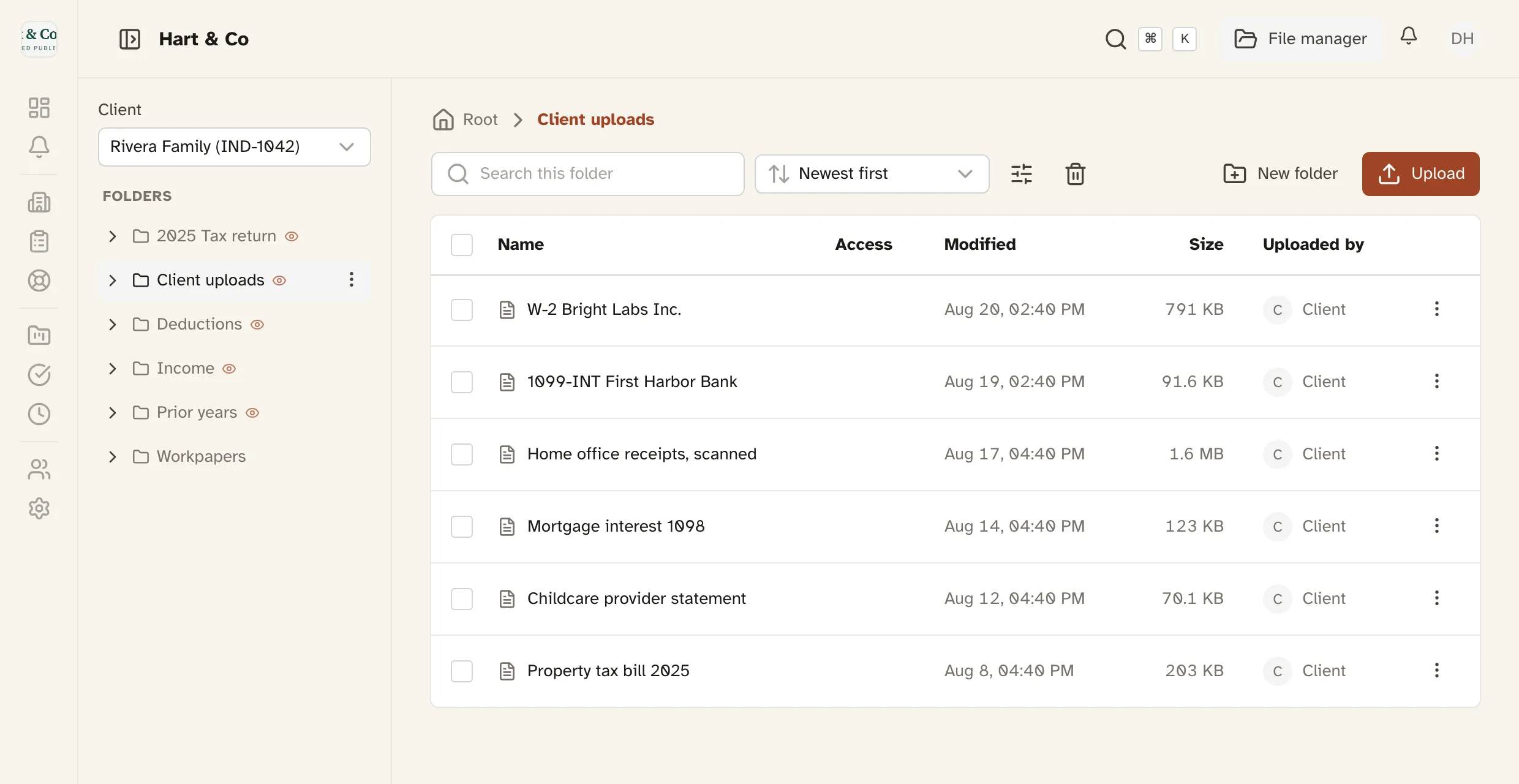
Behind the queue is a full file manager: per-client folder trees, folder templates you apply to any number of clients, drag-drop upload, bulk moves, and a type-ahead folder picker so filing never means clicking through a tree.
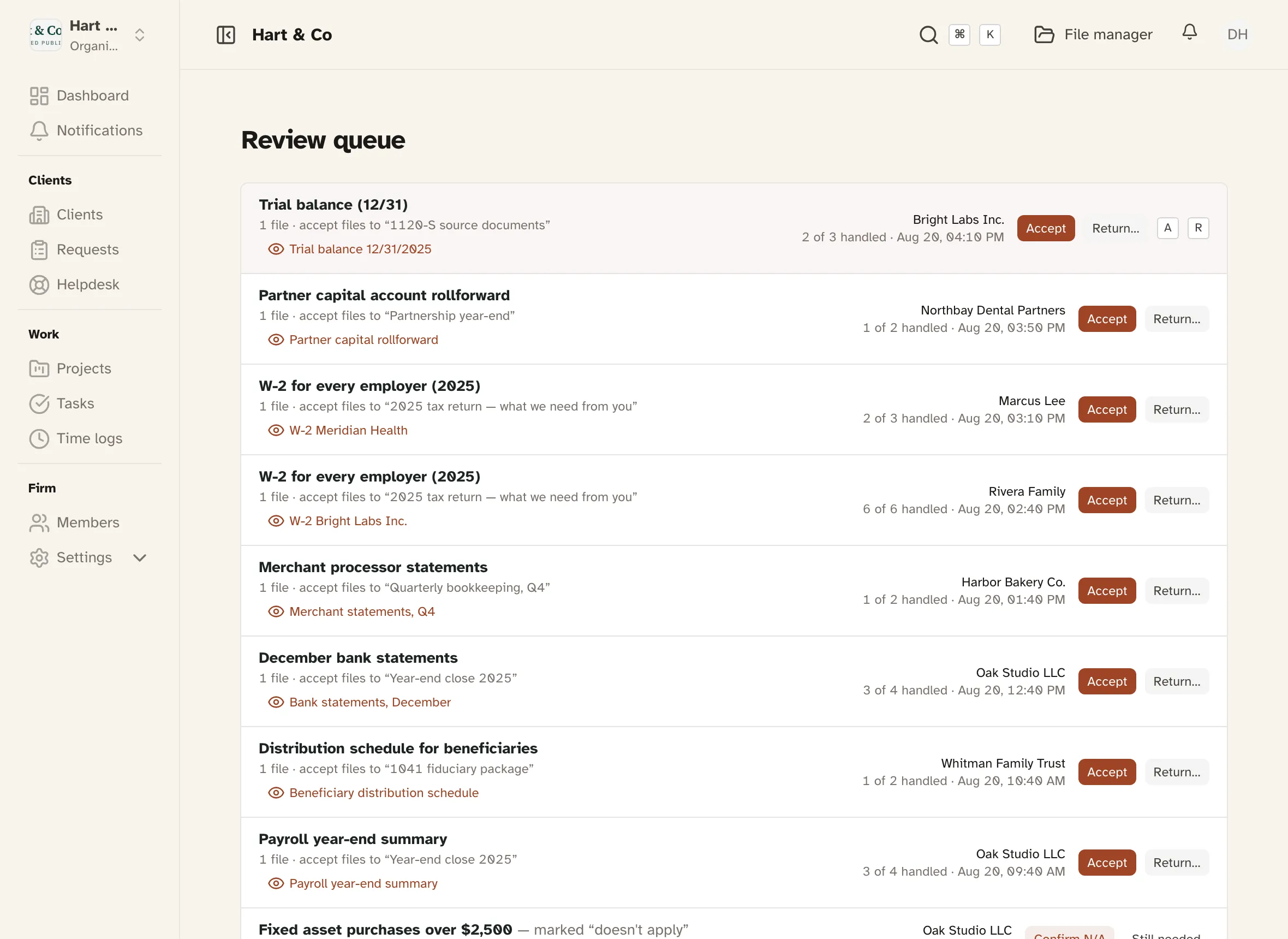
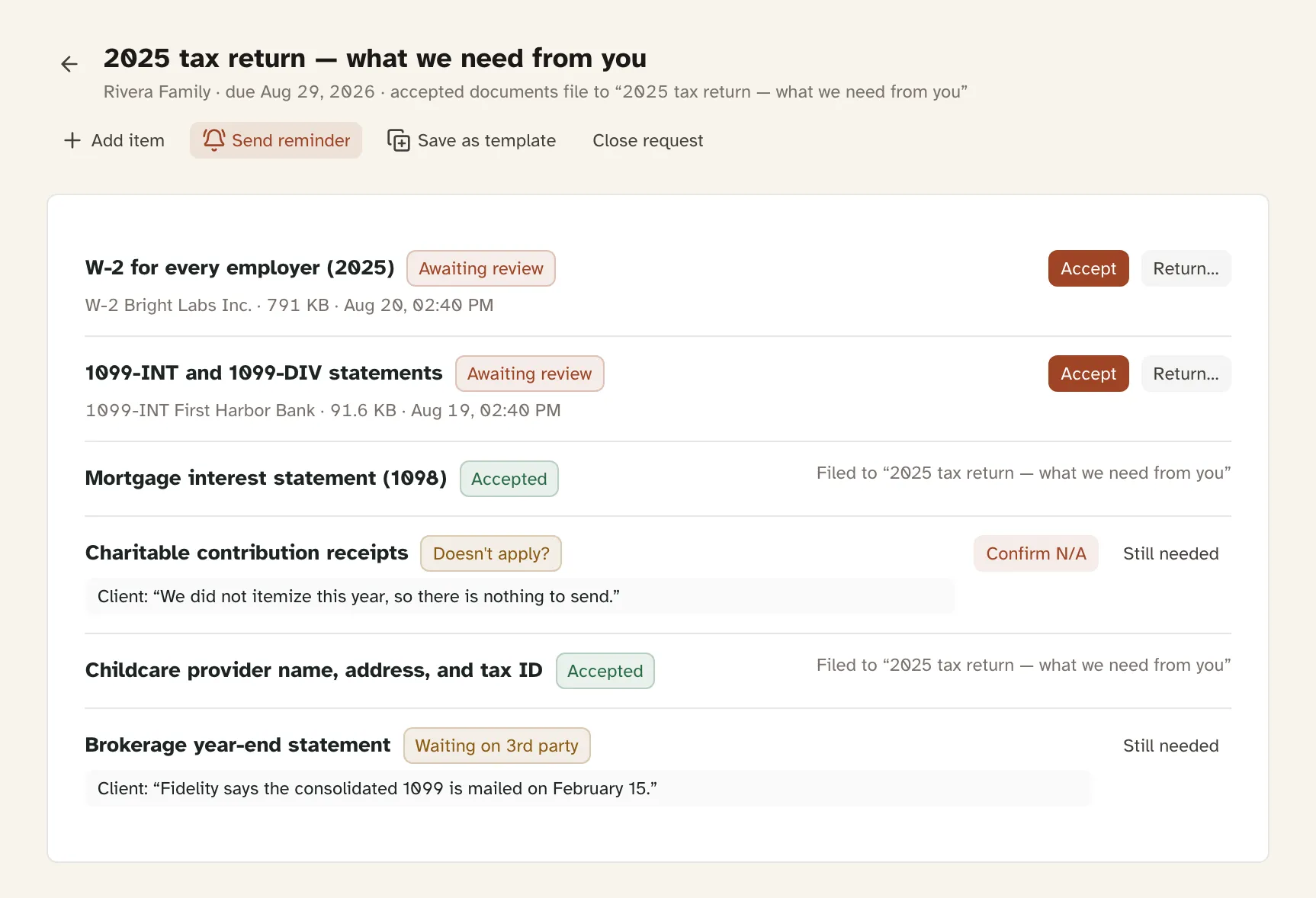
A request is a checklist, not an open folder. Each item ends in one of three states: files attached, “I don't have this,” or “waiting on a third party.” Nothing sits silently unanswered while a deadline approaches.
Launch requests to hundreds of clients at once from templates per entity type, with last season's list carried forward as an editable draft for each client.
Deadline-anchored reminder emails run automatically and stop at completion or the due date. Manual nudges are capped, so clients are never spammed in your firm's name.
Uploads notify your team in-app and by email. Documents you publish show whether and when each client opened them, with named per-viewer receipts.
Every meaningful action is recorded in a permanent audit trail: each client has an activity timeline, and each file its own history. Uploaded, viewed, renamed, shared, by whom, and when.
Every client gets the folder structure your firm chose, applied the moment they are imported. Client uploads land in one predictable folder, so your team files from a single place instead of hunting a guess.
Each folder carries its own access state: client-visible, staff-only, or secured to named staff. The eye icon answers “can the client see this?”
There is no implementation project and no onboarding call to schedule. Firms import their client list, apply a folder template, and send branded invitations the same afternoon they sign up, on their own.
A Drake, Lacerte, TaxDome, or QuickBooks export imports without configuration, and so does a hand-kept sheet. Columns are matched automatically; a mapping screen appears only when detection is unsure.
Starter folder templates and request checklists are included for each entity type in a standard US CPA catalog: 1040, Schedule C, 1065, 1120-S, and more. Edit them or use your own.
Portal invitations carry your firm's logo and name and ride the same import flow. A setup checklist tracks what's left and never blocks you from working.
Underneath it all
Two-factor authentication on both staff and client accounts. Separate identity systems for staff and clients, so a client login can never reach firm features. Per-folder access control with expiring staff access. Share links that rotate their secret on resend. Read the security overview →
The trial is the product. Import five clients, send one request, and watch the first receipt come back today.